
How to Give Someone Access to Your Instagram Business Account
Granting access to your Instagram Business account lets you collaborate with others without sharing your login credentials. Whether you are an employee, social media manager, marketing agency, or business partner, you can easily send someone access to your account.
Meta Business Suite is the best way to give permission levels on the basis of a person's responsibilities. It allows you to control who manages content, messages, ads, insights, and other business assets and keep your account secure. Read this guide to learn how to give someone access to your Instagram Business account step by step.
Why Give Someone Access to Your Instagram Business Account?
Here's why you can give someone access to your IG business account
- Working with digital marketing agency
- Running Instagram ads
- Collaborate with social media marketer
- Allow employees to manage posts
- Manage customer messages
- Tracking insights and analytics
- Collaborating with business partners
Meta business suite not ask you to share login credentials, rather than it, it provide you permission based secure system to give access to
Step by step guide to grant access to IG business account
Given below are the steps to follow to give someone access to your IG business account
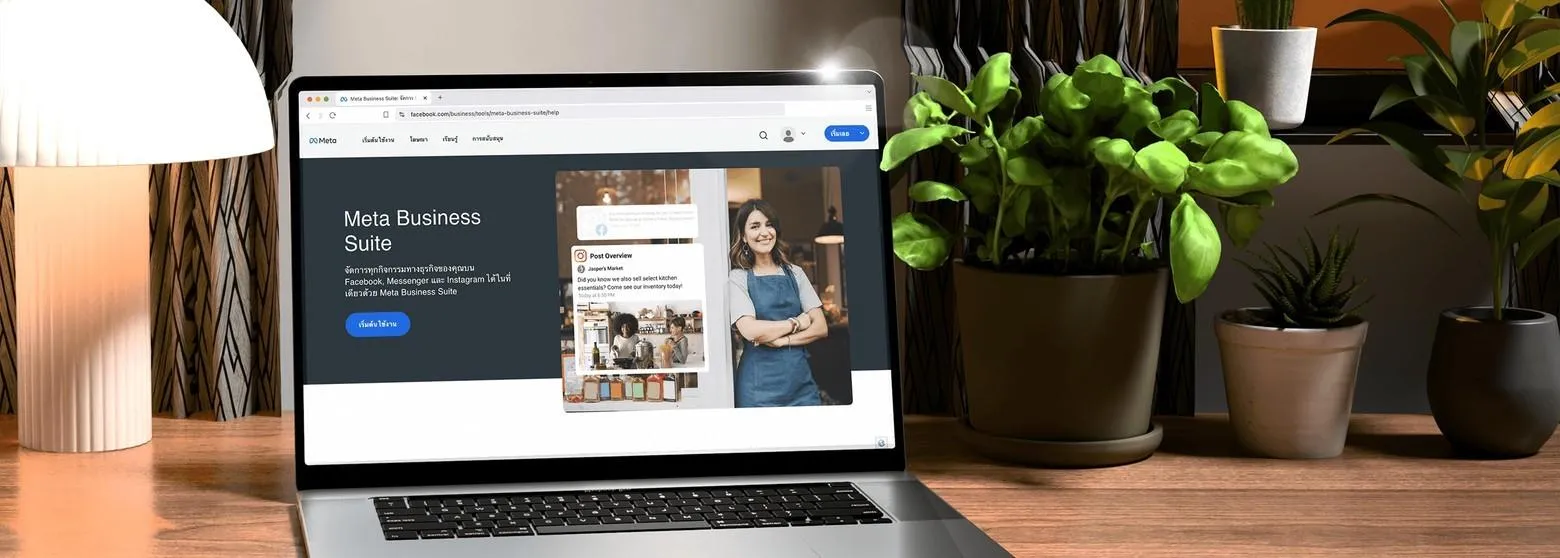
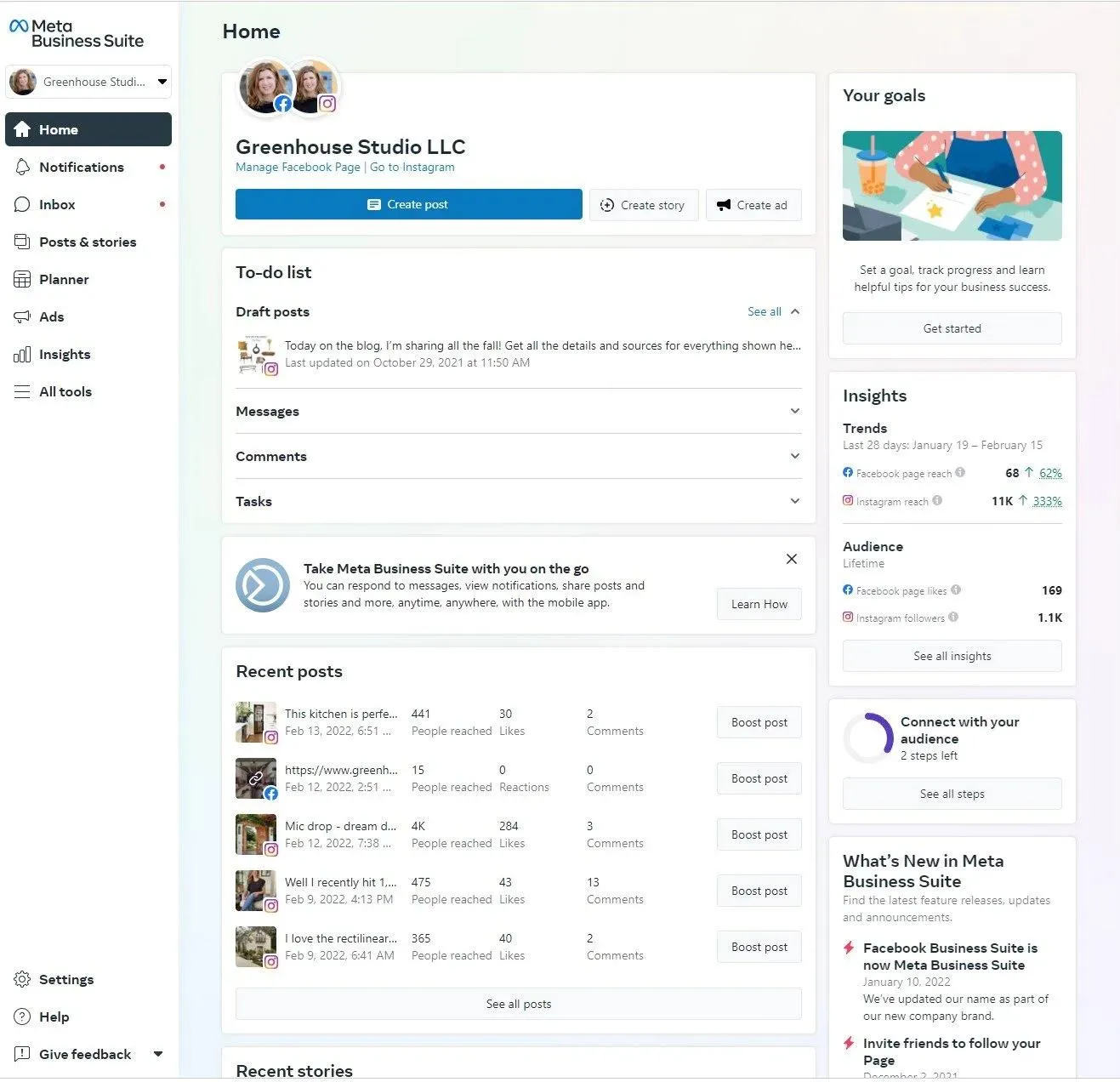
Open Meta Business Suite
Log in to your Facebook account. Open your connected Facebook Page and launch Meta Business Suite. If you’re already logged in, you can access all your business assets from the dashboard.
Go to Business Settings
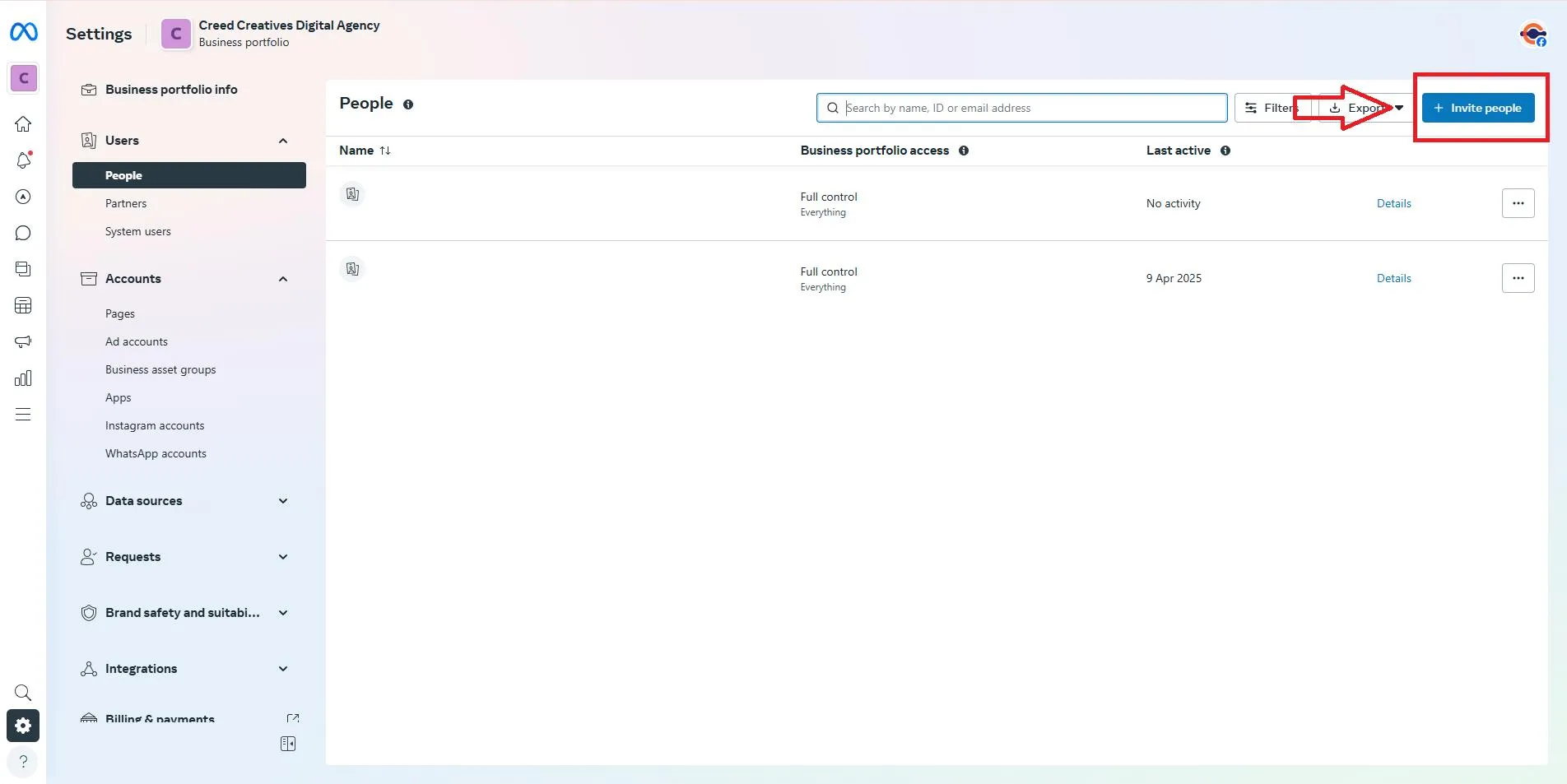
Inside Meta Business Suite, tap on the "Settings" option from the left sidebar. Go to the users/profile section. Here you can find people directly or under the Users menu, depending on the latest Meta interface.
Click Invite People
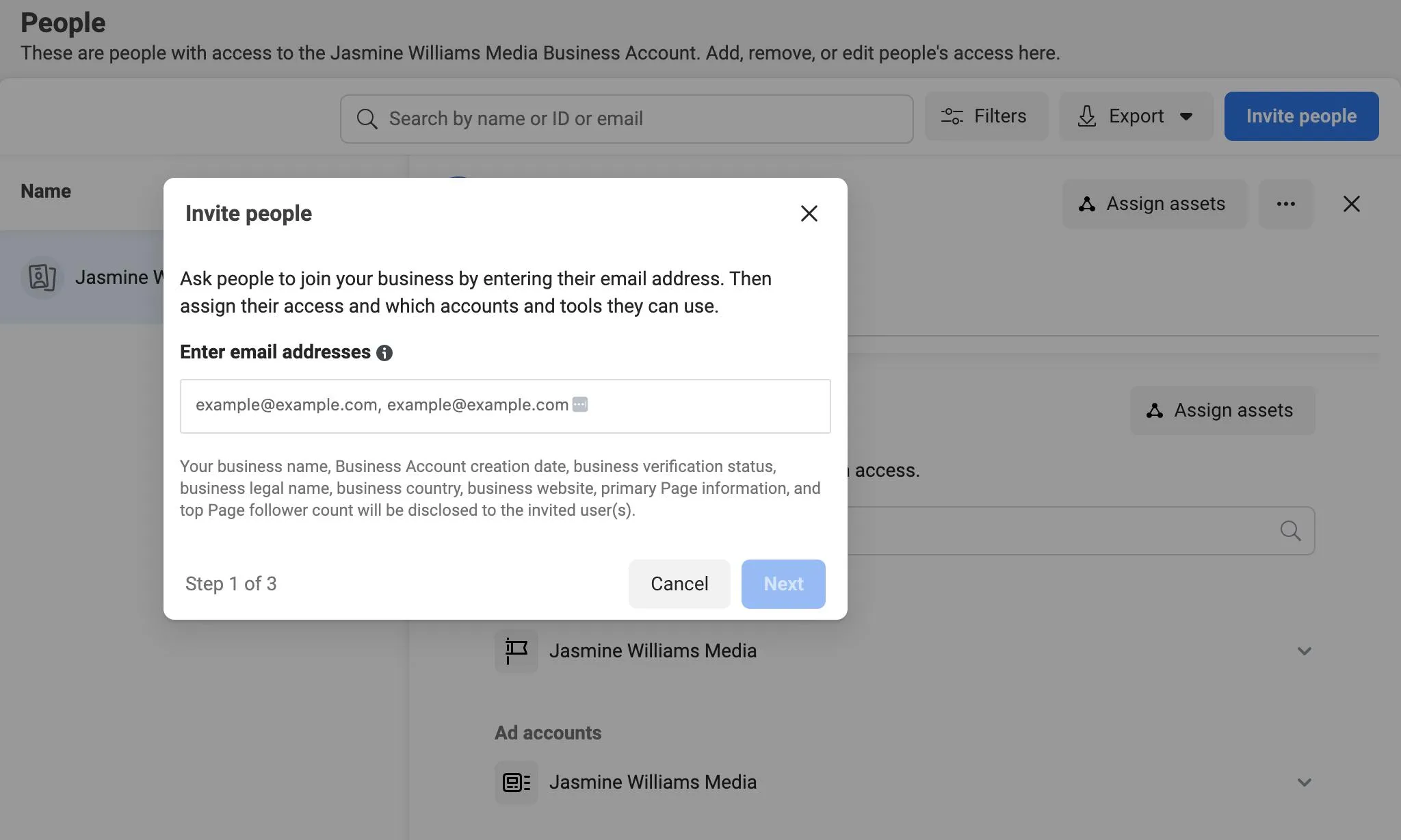
In the 'People' section, tap on 'Invite People or Add People'. Enter the email address of whom you want to grant. Click on the 'Next' button. Ensure you enter the email linked to their Facebook account.
Choose the Access Level
Meta Business Suite allows different permission levels. Here are the options appear
Full Access
It gives complete control over your business assets. Users can manage Instagram, manage the Facebook Page, create and delete content, manage ads, view insights, add or remove users, and control business settings. Only provide full access to trusted members.
Basic Access
Basic Access is suitable for content creators or employees. On the basis of permissions, it is able to publish content, reply to messages, view insights, and manage comments. They cannot change important business settings unless specifically allowed.
Advanced Permissions
Meta allows you to assign specific permissions, such as advertising campaigns, finance management, messenger access, content management, and insights access. Only choose the permissions necessary for that person's role. Click Next once you've selected the appropriate access level.
If you require someone to manage your account completely, then you can learn how to add Admin to Instagram Account via our guide.
Select Your IG Business Account
Now, Meta will ask which business assets you want to share. Choose your Instagram Business Account. If you manage multiple Instagram accounts, ensure you select the correct one. Hit the ‘next’ button.
Assign Asset Permissions
For the selected IG account, you should choose what users can manage. The typical permissions include content creation, viewing analytics, managing comments, publishing posts, responding to messages, running advertisements, and managing IG account settings. Only enable the permissions required for their tasks.
Review and Send the Invitation
Carefully review the information. Tap "Continue", then select "Invite with Asset". Meta will send an email invitation to the recipient.
Accept the Invitation
The invited person will receive an email from Meta. They just accept the invitation by checking mail and get access. Once accepted, they get access to your IG business account. Meta generally gives recipients 30 days to accept the invitation before it expires.
Tips for Managing IG Business Access Securely
After grant access, you should follow given practices to manage your Instagram business account
- Give the permissions to users that they need
- Avoid assigning Full Access unless necessary.
- When employees leave, you can remove access.
- Regularly review user permissions.
- Now set the two factor authentication for extra security on Facebook and Instagram.
- Keep your Meta Business Suite users up to date.
In this way, you can manage permissions, protect your business from unauthorized access, and accidental changes.
Conclusion
Granting someone access to your IG business account is secure and quick with Meta Business Suite. No requirement to share password with user. Rather than it, meta allows you to invite team members, assign permissions and control what every user can manage. If you are new to Instagram Business, then you should first know about the type of best account for your business before granting access.
Whether you’re working with a marketing agency, freelancer, or employee, following the steps above ensures safe collaboration while keeping your business account protected.
FAQs
Can I give access to my business account without sharing the password?
Yes, you can grant access to your Instagram business account by using Meta Business Suite. There's no need to share your password with the user. They simply get an invitation and access to your account.
What access levels are available in Meta Business Suite?
Meta Business Suite provides basic access, full access, and advanced permission options. You can customize the permissions easily for content management, insights, messaging, advertising, finances, and other business assets.
Why can't I see my Instagram account in Meta Business Suite?
You are unable to see the Instagram account in Meta Business Suite because it is still set as a personal profile rather than a business account. To appear in Meta, you should set it as a professional account and map it to your associated Facebook Page.
How long does someone have to accept an invitation?
Meta gives users up to 30 days to accept an invitation. If it expires, then you need to send a new invitation to grant access.
Can I remove someone's access later?
Yes, you can remove access later via Meta Business Suite. Go to Settings > People, select the user, and remove permissions at any time for your security purposes.