
How to Manage Personal and Business Instagram Accounts
Looking for the best ways to manage personal and business Instagram accounts? Every person needs a personal account to stay connected with their friends and family, and also needs business accounts to promote their products, services and brand. It can be easier for you to manage both types of IG accounts together through the official app.
The built-in switching feature of Instagram allows you to switch between accounts from one device. It helps the business owners, influencers and marketers to manage content of different accounts separately. Let us read more and know the effective ways to manage both types of accounts together.

Why Keep Personal and Business IG Accounts Separately?
Keeping the personal and business accounts separate provides you with various benefits. A personal account is used to share daily moments and feed with family and friends. A business account focuses on marketing, engaging with customers, and growing your brand.
Personal vs Business Instagram Account
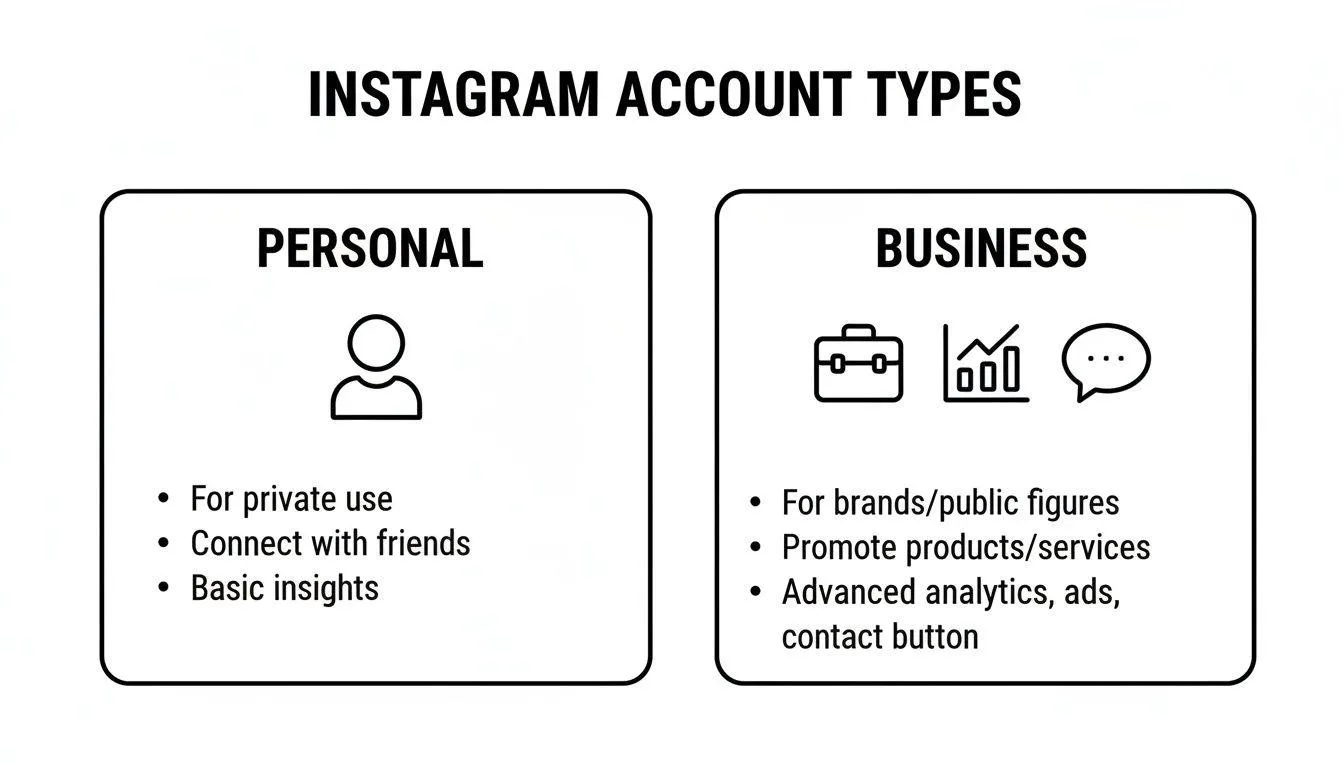
Look at the differences between personal and business Instagram account types to choose the right setup.
| Feature | Personal Account | Business Account |
|---|---|---|
| Primary Audience | Friends & Family | Brands, Retailers |
| Privacy | Public or Private | Public Only |
| Analytics | None | Detailed (Performance/Audience) |
| Ads/Promotion | Not Available | Full Access |
| Contact Buttons | Not Available | Extensive (Phone, EmailAddress) |
| Music Library | Full Access | Restricted (Commercial tracks) |
| API/ Scheduling | None | Full (Meta Business Suite/3rd Party) |
| Shopping Tools | None | Product Tagging/ Full Storefront |
| Inbox Management | Basic | Advanced (Quick Replies, Tabs) |
How to Add Multiple Accounts on Instagram
Adding multiple Instagram accounts is easier from a single device.
- Open the Instagram app.
- Go to your profile.
- Tap the menu icon in the top-right corner.
- Open Settings and Activity.
- Scroll to Logins or Add Account.
- Choose Create New Account or Log Into Existing Account.
- Sign in using your second account.
Once you add your accounts, you can easily switch between it by tapping on the profile picture. The official Instagram app allows you to manage multiple accounts within one app, and become convenient for those who oversee personal, business, or client profiles.
For extra assistance, you can contact the official Instagram Help Centre and learn how to manage multiple accounts easily.
Switch between Personal and Business IG Account
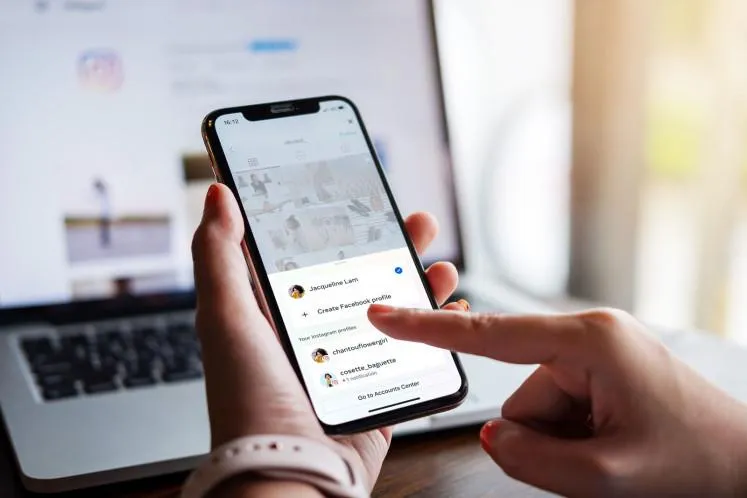
Switching between personal and business accounts only takes a few seconds. You simply need to tap and hold your profile picture and switch the account. When you tap on it, a list of connected accounts appears. Simply select the account you want to use, and Instagram will switch it immediately. This feature is accessible for social media marketers and managers who frequently juggle different brands throughout the day.
How Meta Business Suite Helps Manage Personal and Business Instagram Accounts
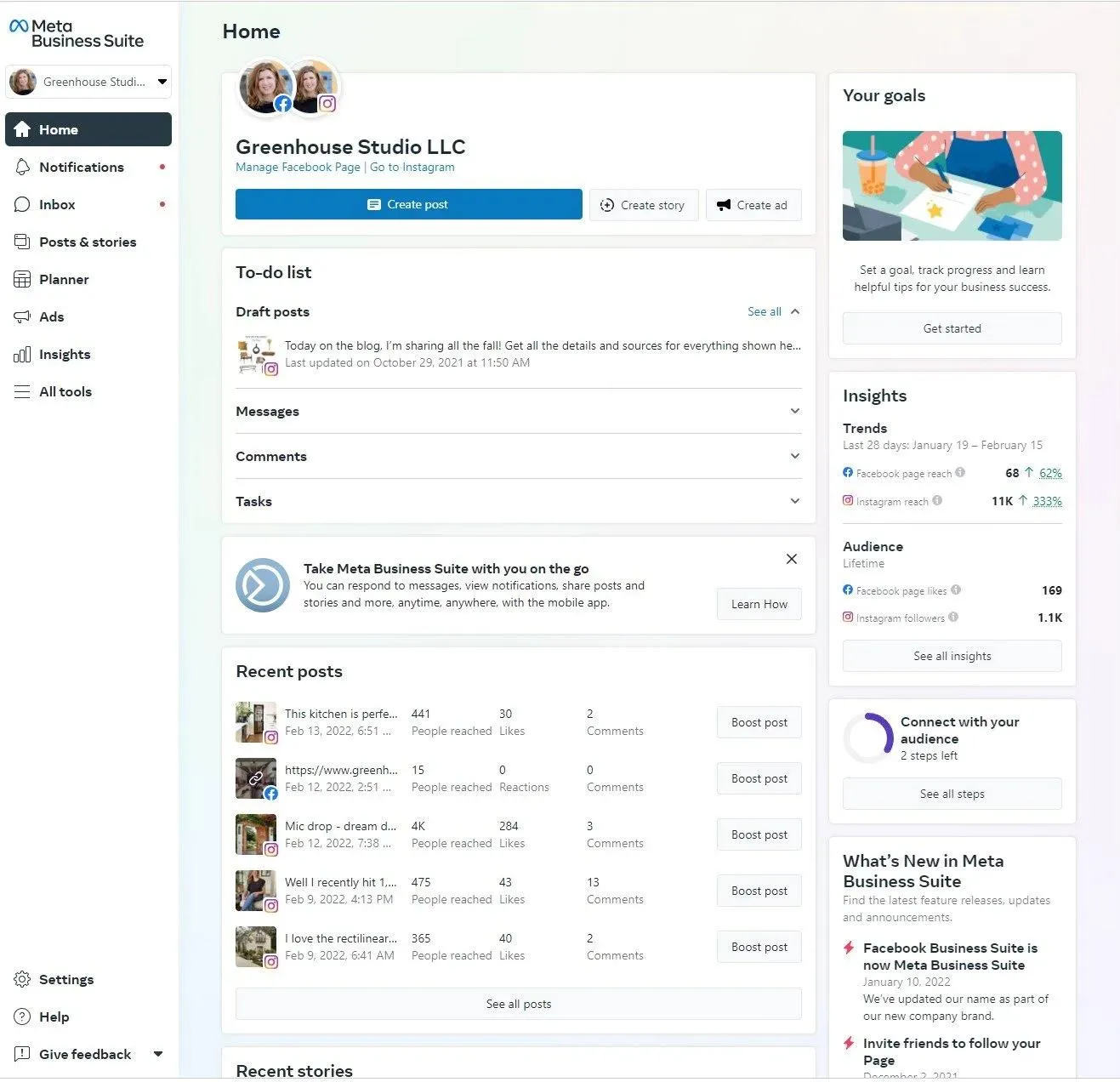
Meta Business Suite is referred to as the all-in-one platform that combines your Facebook and Instagram management. It helps you manage multiple accounts by bringing communication into a single inbox, streamlining content scheduling, tracking performance analytics, and handling ad campaigns from one dashboard. Here's how it helps you manage your accounts
Content Planner
It allows you to draft, schedule, and publish posts, Reels, and Stories for both Facebook and Instagram at the same time. You can see your scheduled content on a monthly or weekly calendar.
Unified Inbox
It combines all direct messages, story replies, and post comments from both Facebook and Instagram into one view. In this way, it allows you to easily set up automated greetings, create saved replies, and manage customer relationships easily.
Centralized Analytics
This Instagram tool provides you with detailed metrics and insights on follower demographics, reach, and engagement across both platforms. In this way, you can identify which content performs best without switching between separate accounts.
Asset Management
You can connect Instagram personal or business profiles with Meta Business Account and assign different access levels to team members. It keeps your business details organized and separate from your personal profile.
Ad Management
With this, you can easily boost posts, track ad campaign performance and create target audiences.
How to Manage Multiple Instagram Accounts Like a Pro
Learn how to manage multiple Instagram accounts by following the given practices. Moreover, use the right tools and strategies to manage multiple Instagram accounts efficiently. Stay organized, plan your content strategically, and grow your presence across different niches while keeping your accounts secure and following Instagram's guidelines.
Define Clear Objectives
Define your goals, target audience, and brand voice for every Instagram account. Having a clear strategy avoids content overlap and helps you to communicate tailored messages to every community.
Centralize Management Tools
Use Meta Business Suite or other social media management platforms to streamline your workflow. These tools let you schedule posts, track analytics, and handle DMs from one dashboard.
Create Tailored Content Calendars
Then, you have to create the content calendars for each profile and maintain consistency. You can use batch creation to prepare posts in advance, helping you maintain a consistent posting schedule and keep your Instagram feed active.
Isolate Login Environments
Use isolated browser profiles or separate devices to keep each account's data separate, making it easier to manage multiple Instagram accounts professionally. It reduces the risk of account linking and prevents security flags.
Set Approval Workflows
Set the approval process to manage all content with your clients. Before publishing, review and approve your content to catch mistakes, protect your brand, and maintain consistent quality.
Monitor Analytics and Security
Check the account analytics and security settings regularly and detect unusual activity, if any occurs. It helps to keep your personal details protected.
Conclusion
Managing personal and business IG accounts is not complicated. You can use the built-in account switching features, scheduling, and professional business tools; you can manage your multiple profiles easily.
It helps keep your accounts organized, manage your content calendar, monitor analytics, and prioritize account security. By following the above practices, you can create a better experience for customers and followers and build a strong brand presence. Moreover, using the trusted multi browser app, SocialRouter is also helpful to manage multiple social media accounts and handle your tasks properly.
FAQs
Can I switch between business and personal accounts?
Yes, you can easily switch accounts at any time through Instagram settings. It doesn't lose your existing followers or content.
Does a business account cost money to maintain?
No, switching accounts does not cost money. It is completely free. You only need some money to run paid ads on it.
Can I receive less engagement on business accounts than on personal accounts?
No, not necessarily. All account types can receive high engagement levels if your content is highly relevant, quality and targeted to your audience.
Can I keep my business account private?
No, you can't keep a business account private. It must be public and visible to users.
How to Use Multiple Accounts Without Logging Out?
You can easily manage multiple accounts without logging out. Simply tap on the existing profile to switch it quickly.